

Create terms
Paste a list of terms, check the preview, and create them all in one task.
Before you start
Create the attribute itself in Products › Attributes (for example “Color” or “Size”). WC AttribPress adds terms to existing attributes.
1. Enter terms
- Open AttribPress › Create terms.
- Choose the Attribute.
- Paste your list in Terms, one term per line. The line count is shown under the field.
- Click Preview.
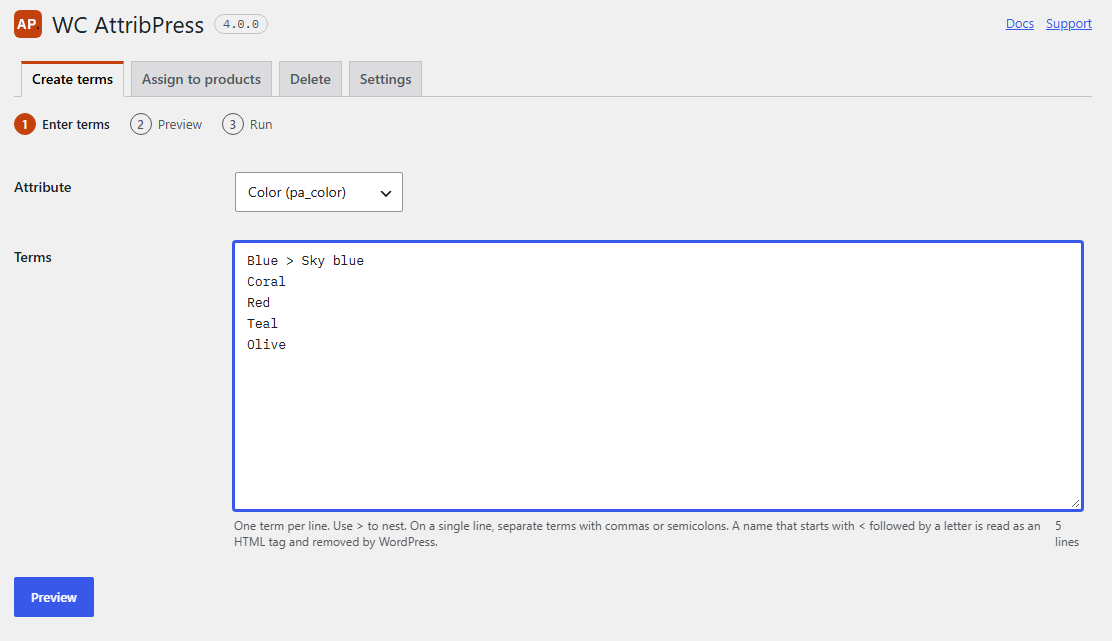
How your list is read
- Several lines: each line is one term. Commas and semicolons stay in the name, so
Red, matteis one term. - A single line: commas and semicolons separate the terms, so
S, M, L; XLgives four terms. - Nesting:
Blue > Sky bluecreates “Sky blue” under “Blue”. This needs the Hierarchy setting: see Hierarchy. - Spaces around names and empty lines are ignored.
Limits
- Up to 20,000 lines per list.
- Up to 200 characters per term name.
- The
|character is not allowed in a name. - A name that starts with
<followed by a letter is read as an HTML tag and removed by WordPress.
2. Preview
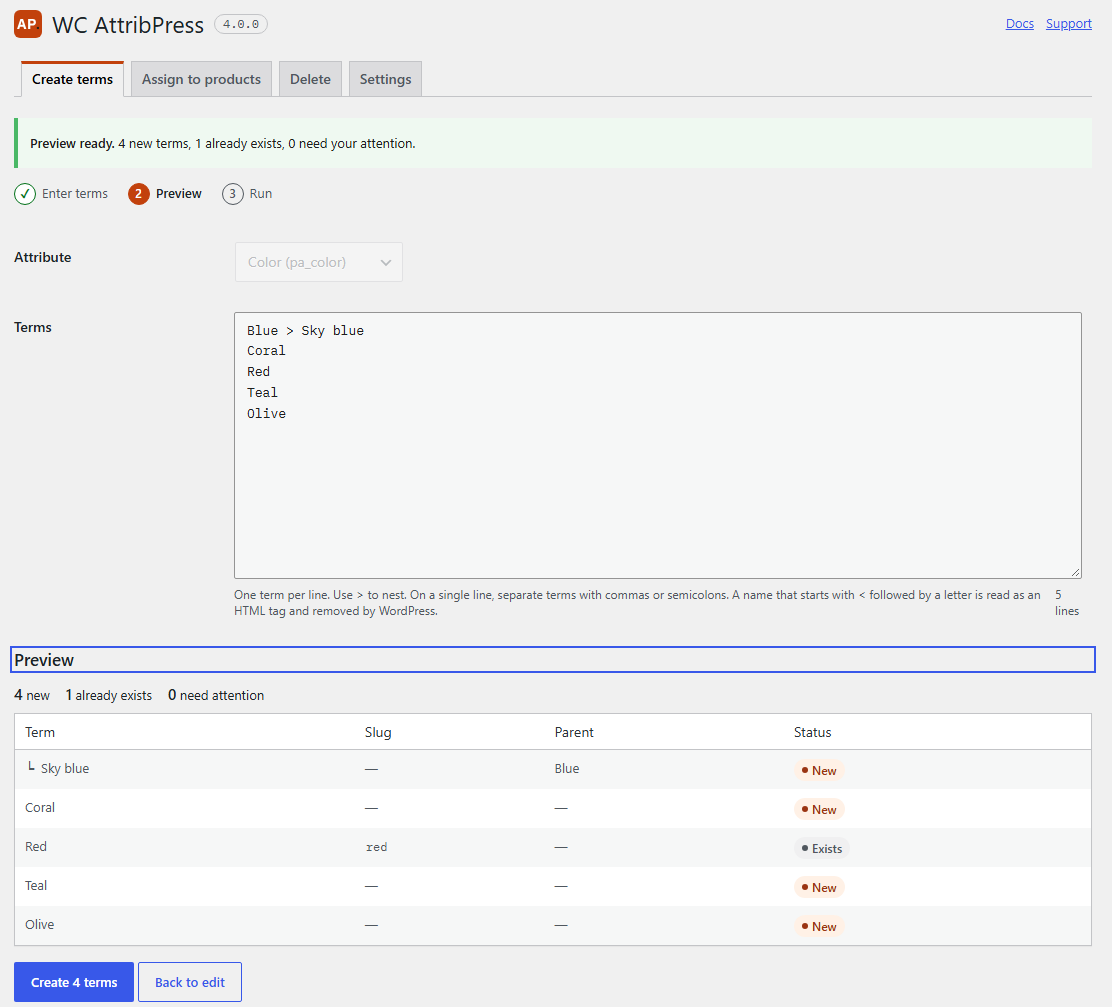
Nothing is written yet. The preview lists every term with its slug, its parent and a status, and sums them up: “30 new, 0 already exist, 0 need attention”.
| Status | Meaning |
|---|---|
| New | The term will be created. A note tells you if the same name already exists somewhere else in the attribute, for example “Also exists under Blue.” |
| Exists | The term is already there, at that place. It is left as it is. |
| Invalid | The line can’t be used, and the reason is shown under it: a repeat of an earlier line (“Duplicate of line 4.”), an empty level such as Blue >, a name that is too long, | in the name, or > while the Hierarchy is off. |
Invalid lines are counted as “need your attention” in the summary and are never created. Click Back to edit to fix your list, or Create N terms to go on.
3. Run
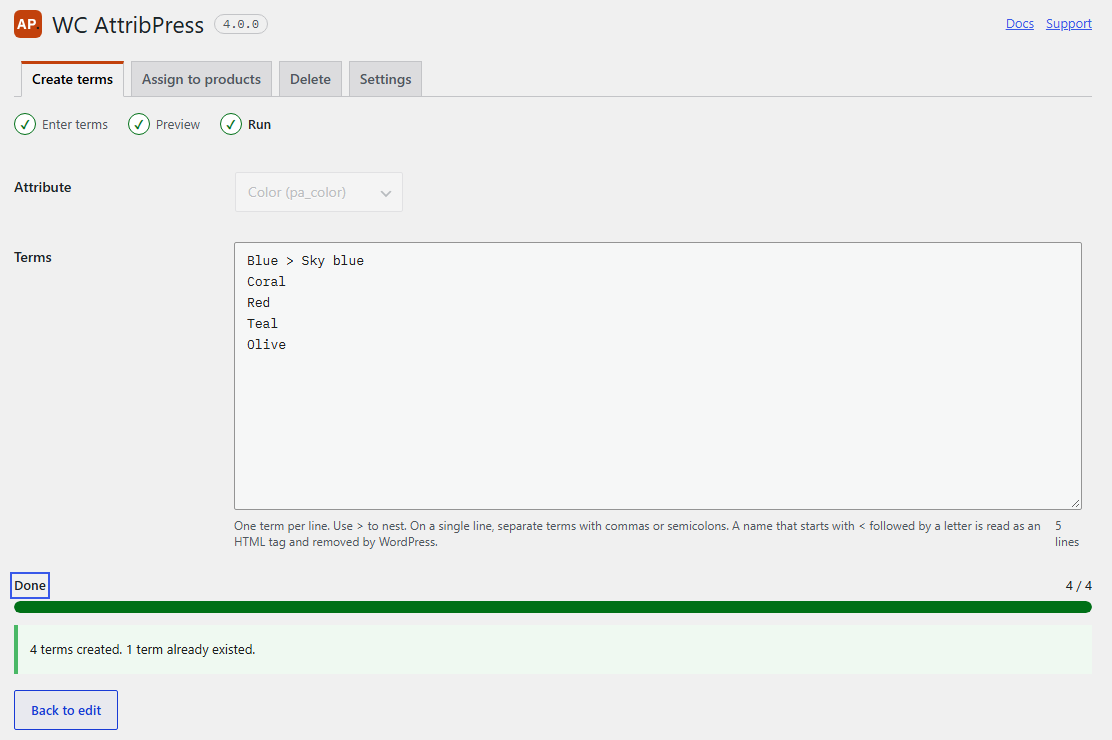
The terms are created in batches of 25, with a progress bar. You can pause, or close the tab and resume later. At the end, a summary tells you how many terms were created and how many already existed.
Good to know
- A name alone is created at the top level, even if the same name exists under a parent.
- WordPress builds the slug from the name. If the slug is taken, it adds a number.
- To add the new terms to products in the same move, use Assign to products: it creates missing terms too.